
A proxy browser sends your browsing through a proxy server so websites see a different IP address, and the best ones also give every profile its own fingerprint and cookies. Our top pick for 2026 is Gologin: a free-forever plan with 3 profiles, paid plans from $9/month, apps for every major platform plus a Cloud Browser, and support for any HTTP or SOCKS proxy. For the proxies themselves, we recommend FloppyData, whose $1/GB rotating traffic works as residential, mobile or datacenter IPs from one balance.
This list covers three kinds of tools: antidetect browsers that manage many proxied profiles, proxy services you plug into them, and free web proxies that work inside any browser. Prices were checked on vendor websites in October 2026.
The best proxy browsers at a glance
| Tool | Type | Free option | Paid from |
|---|---|---|---|
| Gologin | Antidetect browser | Free forever, 3 profiles | $9/month for 10 profiles |
| Multilogin | Antidetect browser | Free forever, 5 profiles | $11/month for 10 profiles |
| AdsPower | Antidetect browser | Free forever, 2 profiles | $9/month for 10 profiles |
| Dolphin Anty | Antidetect browser | Free, up to 3 profiles | $10/month for 20 profiles |
| 1Browser | Antidetect browser with built-in proxies | Free, 5 profiles | $6/month for 10 profiles |
| Incogniton | Antidetect browser | 10 profiles for 2 months, then 3 | $19.99/month for 10 profiles |
| FloppyData | Proxy provider | — | $1/GB rotating; static ISP from $1.79/IP |
| Bright Data | Proxy provider | $2 trial credit for proxies | $8/GB pay-as-you-go residential (list price) |
| Decodo (formerly Smartproxy) | Proxy provider | 3-day free trial | $4/GB pay-as-you-go residential |
| Proxyium | Free web proxy | Free | — |
| CroxyProxy | Free web proxy | Free | Optional Premium plan |
What Are Proxy Browsers, and How Do They Differ from VPNs?
Proxy browsers route web traffic through proxy servers to improve anonymity and privacy. The proxy acts as a middleman between you and the websites you visit, so your requests appear to come from the proxy’s IP address instead of your own. That lets you get around geo-restrictions, reach content that is blocked in your location, and keep accounts on separate IP addresses.
The primary distinctions between VPNs and proxy browsers are their degree of security and functionality. Both can hide your IP address and bypass regional limits, but a VPN encrypts all internet traffic from your device, which makes it the better fit for online banking or public Wi-Fi. A proxy browser usually changes the route of your browser traffic only, and the proxy itself does not add encryption beyond the HTTPS that websites already use.
Proxy browsers are most useful when you need several identities at once. An antidetect browser assigns a different proxy to every profile and also changes the browser fingerprint (canvas, WebGL, fonts, timezone and similar signals), so platforms see separate users rather than one person switching IPs. Businesses use the same approach for web scraping, ad verification and price monitoring.
Use cases of Proxy Browsers
Proxy browsers let you manage multiple accounts, avoid geo-blocking, and reach restricted websites. The main use cases are:
Bypassing Geo-Blocking
Proxy browsers are mostly used to get around geo-restrictions placed on websites and streaming services. Routing traffic through a proxy server in another country lets you see the content that is available there — news sites, social platforms or regional versions of online stores. Travellers use the same approach to keep access to their usual services while abroad, and marketers use it to check how ads and search results look in different markets.
Accessing Blocked Sites
A proxy browser can also reach websites that an Internet Service Provider, workplace network or national filter blocks. Reporters, researchers and anyone who depends on accurate information use proxies to read sources that are unavailable on their local network. Check the laws and network rules that apply to you before doing so.
Multi-Accounting
Proxy browsers are also the standard tool for running several accounts on one platform, such as multiple ad accounts, client social media profiles or marketplace stores. Each account gets its own IP address and browser profile, so the platform does not link them to one device. Read each platform’s rules first: many allow several business accounts, but some limit how many accounts one person may run.
Advantages and Disadvantages
Advantages
- Proxy browsers hide your IP address, adding a layer of privacy while you browse.
- They give quick access to geo-blocked content.
- Antidetect proxy browsers keep several accounts separate, with one IP address, fingerprint and cookie jar per profile.
Disadvantages
- Unlike VPNs, proxy browsers do not encrypt all of your device’s traffic.
- Some websites detect proxy IPs, especially datacenter ones, and block or challenge them.
- Speed and latency depend on the quality of the proxy server you use.
Listing the Best Proxy Browsers
1. Gologin
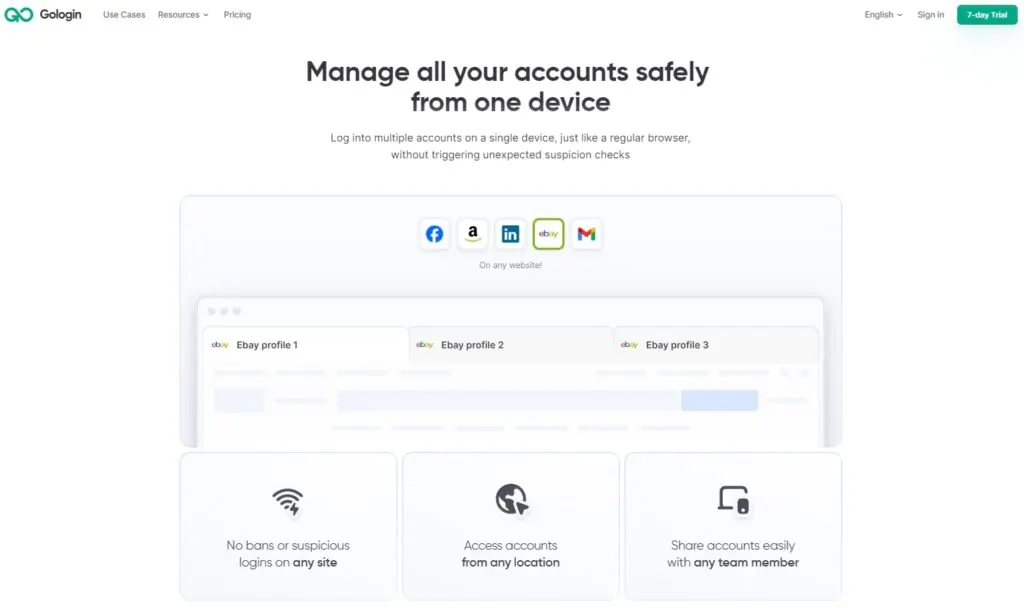
Gologin is a flexible antidetect browser built for managing many online identities from one app. Every profile runs in Orbita, Gologin’s Chromium-based browser, with its own consistent fingerprint drawn from a large fingerprint database, its own cookies and its own proxy. It suits solo users as well as agencies, e-commerce sellers, media buyers and scraping teams.
Pricing Plans
- Free plan: 3 browser profiles forever, with all core features except profile sharing and team members.
- Professional: from $9/month for 10 profiles, with tiers up to 100 profiles.
- Business: $99/month for 300 profiles (a 500-profile option is available).
- Enterprise: $179/month for 1,000 profiles.
- Custom: 2,000 to 100,000 profiles from $279/month.
- Annual billing halves every price (Professional works out to $4.50/month), and there is a 7-day free trial of paid features.
Gologin works with any HTTP or SOCKS proxy, and you can also buy built-in proxy traffic without leaving the app; paid plans include some residential traffic. Desktop apps run on Windows, macOS (Intel and Apple silicon) and Linux, there is an Android app, and Cloud Browser runs profiles in the cloud with nothing installed. Paid plans add team members and profile sharing with view, edit and manage rights, and developers get a REST API, Puppeteer, Playwright and Selenium support, and Browser MCP for AI agents.
The trade-offs are small: the free plan stops at 3 profiles and has no team features, and Orbita is Chromium-based only, so there is no Firefox engine. For digital marketers and companies handling several online identities, Gologin is the best proxy browser thanks to its low entry price, broad platform coverage and mature fingerprint engine. Try Gologin for free.
2. Multilogin
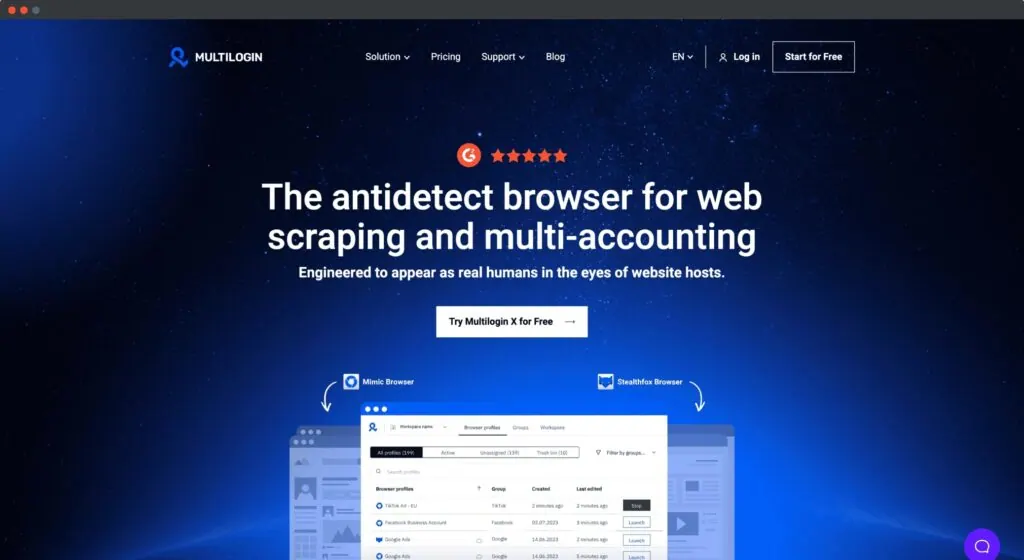
Multilogin is a long-established antidetect browser that now combines browser profiles with Android cloud phones in one account.
Pricing Plans
- Free plan: 5 profiles forever, no card required, with a one-time bonus of proxy traffic and cloud-phone minutes.
- Pro: $11/month for 10 profiles, $19/month for 20 and $29/month for 50.
- Business: from $40/month for larger teams.
- Yearly billing saves 35% (Pro with 10 profiles works out to $7.08/month).
Multilogin runs on Windows, macOS and Linux and includes built-in residential, ISP and mobile proxies, so you do not have to look for a third-party seller. Its automation layer supports Selenium, Playwright and Puppeteer.
Digital marketers, e-commerce teams and affiliate marketers use Multilogin for large account operations; the broad feature set takes longer to learn than lighter tools.
3. AdsPower
AdsPower is a multi-account antidetect browser that gives each account its own browser environment and adds a no-code RPA tool for automating repetitive work.
Pricing Plans
- Free plan: 2 browser profiles forever.
- Professional: from $9/month for 10 profiles, with 20, 50 and 100-profile options; Business plans add team members.
- Enterprise: 5,000+ profiles, price on request.
- Discounts: 15% off quarterly and 40% off annual billing; a 7-day free trial unlocks all features.
AdsPower runs on Windows, macOS (Intel and Apple silicon) and Linux. Each profile can use its own proxy and user agent, so every account runs with a distinct fingerprint — useful for affiliate marketing, e-commerce and web scraping.
Advantages
- An easy-to-use interface that streamlines maintaining several accounts, popular with affiliate marketers and e-commerce sellers.
- Unique browser fingerprints per profile lower the chance of accounts being linked.
- The built-in RPA tool automates repetitive processes without code.
Disadvantages
- The free plan has only 2 profiles.
- Prices depend on the profile tier and billing period, so larger teams should run the numbers before committing.
- The large feature set, including proxy management, takes time for new users to learn.
4. Dolphin Anty
Built mostly for affiliate marketing teams, Dolphin Anty is a specialist antidetect browser for creating and managing many browser profiles, each with a distinct digital fingerprint.
Pricing Plans
- Free plan: up to 3 browser profiles for 1 user.
- Starter: $10/month for 20 profiles (up to 60).
- Base: $89/month for 100 profiles.
- Team: $159/month for 300 profiles.
- Enterprise: from $299/month for 1,000 profiles, scaling to 50,000.
- Additional users cost extra ($10–$25 per user depending on the plan), and annual billing saves up to 40%.
Dolphin Anty runs on Windows, macOS and Linux. Profiles can use a Chrome- or Firefox-based engine and desktop or mobile fingerprints, though there is no mobile app.
Each Dolphin Anty profile can use its own proxy, so every account gets a distinct IP address as well as a distinct fingerprint, which matters for affiliate marketing, data collection and other multi-account work.
Advantages
- Built with ad buyers in mind, with tools such as a scenario builder and synchronizer.
- The $10 Starter plan is an inexpensive way to run 20 profiles.
- Choice of Chrome- or Firefox-based engines.
Disadvantages
- Extra team members are billed per user, which adds up for larger teams; see Dolphin Anty’s pricing.
- The free plan is limited to 3 profiles and has no API access.
- New users without a technical background may find the interface busy at first.
5. 1Browser
1Browser is an antidetect browser with a Chrome-like interface and its own proxy network built in, so non-technical users can run separate profiles without buying proxies elsewhere.
Pricing
- Free: 5 profiles, with limited proxy countries.
- Basic: $6/month for 10 profiles ($5/month billed annually).
- Custom: 20+ profiles from $9/month ($7/month billed annually).
- Paid plans include 2 GB of residential, datacenter or mobile proxy traffic, with top-ups on demand.
1Browser runs on Windows, macOS (Apple silicon), Linux and Android. Its proxy network covers 100+ countries with several cities per country, and you can also add your own proxies to any profile. Paid plans sync data between devices.
Advantages
- The familiar Chrome-like layout gives non-technical users a smooth learning curve.
- Built-in proxies in 100+ countries mean one subscription covers both browser and IPs.
- Paid plans from $6/month are among the cheapest in this list.
Disadvantages
- The interface is designed more for individual users than for large teams.
- Automation features are lighter than in more advanced antidetect browsers.
6. Incogniton
Incogniton is an antidetect browser that includes free built-in proxies and a proxy shop, plus Selenium and Puppeteer integration on its mid-tier plans.
Pricing
- Free starter package: 10 profiles for the first 2 months, then 3 profiles.
- Starter Plus: $19.99/month for 10 profiles; Entrepreneur: $29.99/month for 50 profiles.
- Professional: $79.99/month for 150 profiles and 3 team seats; Custom: from $149.99/month for 500+ profiles.
- Paying every 6 months saves 30%, and yearly billing saves 40%.
Advantages
- Free built-in proxies on paid plans, plus integrations with outside proxy providers.
- API access, Selenium/Puppeteer integration and a cookie collector from the Entrepreneur plan.
Disadvantages
- The free package drops to 3 profiles after two months.
- Monthly prices are higher than Gologin’s or AdsPower’s for the same number of profiles.
7. FloppyData
FloppyData is our recommended proxy source for the browsers above. It is a proxy provider rather than a browser: you buy traffic or IPs and add them to your profiles in Gologin or any other antidetect browser.
Pricing
- Rotating proxies: $1.00/GB. One balance works as residential, mobile or datacenter traffic, and you can switch types at any time at no extra cost.
- Static residential (ISP) proxies: from $1.79 per IP per month, in bundles of 20, 50 or 100 IPs with unlimited bandwidth.
- Static datacenter proxies: from $0.79 per IP per month, in bundles of 20, 50 or 100 IPs with unlimited bandwidth.
- Scraping API: about $0.90 per 1,000 requests, with browser rendering, CAPTCHA handling and automatic retries.
The network covers 190+ locations with country, city, ASN and IP-type targeting, supports HTTP and SOCKS5 over IPv4 and IPv6, and FloppyData claims a 95% clean IP rate. The single balance is the practical advantage: you can run residential IPs for social media profiles and cheaper datacenter traffic for scraping without buying two separate packages.
FloppyData also offers a Cloud Browser — managed Chromium that you drive over CDP with Playwright or Puppeteer on its proxies — for teams that automate rather than browse by hand.
8. Bright Data
Founded in 2014 as Luminati, Bright Data is one of the largest proxy and web data providers, with proxy networks, scraping APIs, cloud browsers and ready-made datasets. It is aimed at businesses and has strict rules on who can use which network.
Pricing
- Residential: $8/GB pay-as-you-go at list price (Bright Data often runs discounts), with monthly plans from $499.
- ISP proxies from $1.30 per IP; datacenter proxies from $0.90 per IP at volume ($1.40 per IP for 10 IPs).
- New accounts get a one-time $2 trial credit for proxies, plus a $5 bonus when they add a payment method.
Proxy Types
- Residential (400M+ monthly IPs in 195 countries)
- ISP (1.3M+ static residential IPs)
- Datacenter
- Mobile (7M+ IPs)
Since October 2026, Bright Data’s residential and mobile networks require a KYC-verified business account; customers without one are pointed to ISP proxies or the Web Unlocker API. Its scraping APIs and Proxy Manager make it a strong fit for large data-collection projects, but individuals running a few browser profiles will usually find cheaper and simpler options above.
9. Decodo (formerly Smartproxy)
Smartproxy now operates as Decodo: smartproxy.com links redirect to decodo.com, and the old X Browser app page now lands on Decodo’s homepage. Decodo sells residential, mobile, ISP and datacenter proxies plus scraping APIs, and offers a free Chrome proxy extension.
Pricing
- Residential: $4/GB pay-as-you-go, or monthly plans from $3.75/GB (3 GB) down to $2/GB on enterprise volumes.
- Mobile proxies from $2.25/GB; static residential from $0.27 per IP; datacenter from $0.02 per IP.
- Site Unblocker from $0.95 per 1,000 requests; Web Data API from $0.15 per 1,000 requests.
- 3-day free trial for proxies.
Decodo’s residential pool has 115M+ IPs, and its dashboard and extension make it easy to generate proxy endpoints for an antidetect browser. It is a good mid-priced choice if you prefer monthly bandwidth plans.
10. Proxyium
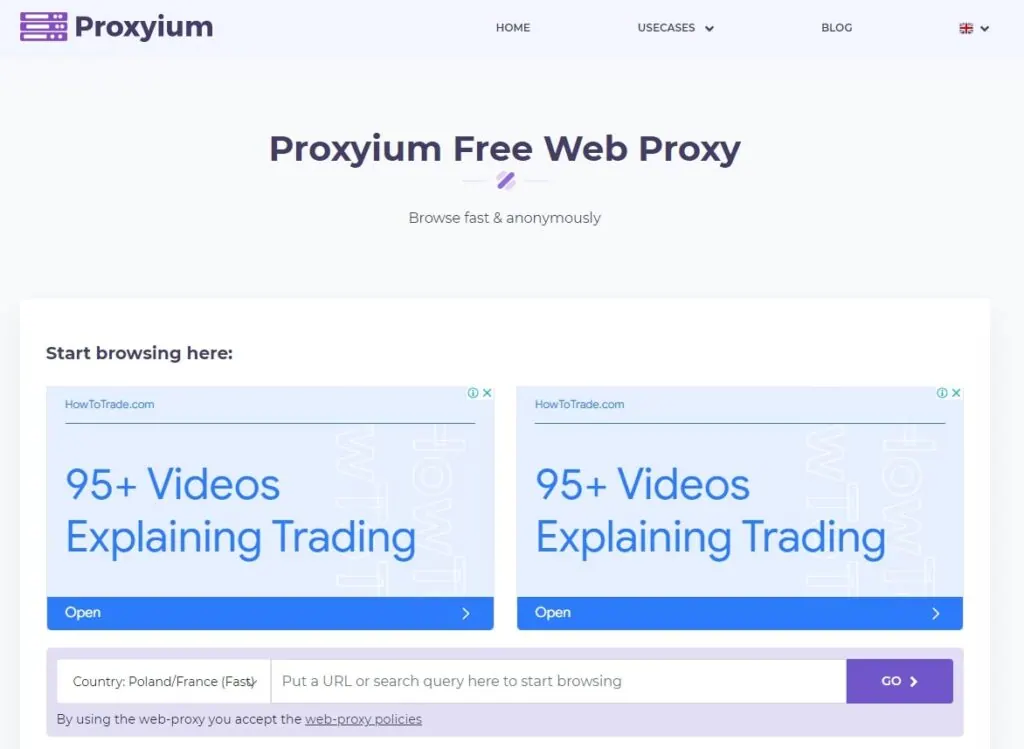
Proxyium is a free web proxy: you open its site, choose a server location (Poland/France, the United States or Singapore) and enter the address you want to visit. It also has pages for YouTube and as a general website unblocker. There is no account and nothing to install.
Proxy Types
- General Web Proxy
- YouTube Web Proxy
- Website Unblocker
Proxyium is fine for a quick look at a blocked page. It does not change your browser fingerprint, does not keep accounts apart, and its relay servers handle everything you load, so it is not suitable for logging in or for multi-account work. See our Proxyium alternatives for tools that do those jobs.
11. CroxyProxy
 CroxyProxy is a web-based proxy service that opens blocked websites without any software: you type an address on its site and it loads the page through its servers.
- Pricing: the basic service is free; a paid Premium option is available — check the site for the current price.
- Advantages: nothing to install; supports many video sites and modern web pages.
- Disadvantages: the free version shows ads and has fewer servers; like any web proxy it does not encrypt your traffic the way a VPN does, does not change your fingerprint, and some websites block proxy traffic.
Which proxies to use with a proxy browser
An antidetect browser is only as good as the IPs behind its profiles. Residential and mobile proxies look like ordinary home and phone users, so they are the safe choice for social media, ad accounts and marketplaces; datacenter proxies are cheaper and faster for scraping sites with light protection; static ISP proxies keep the same IP for weeks, which suits long-lived accounts.
FloppyData covers all of these from one account: $1/GB rotating traffic that you can use as residential, mobile or datacenter IPs, static ISP proxies from $1.79 per IP and static datacenter proxies from $0.79 per IP, in 190+ locations. Pair it with Gologin’s free plan and you can test a full multi-account setup for the price of a few gigabytes of traffic.
Frequently asked questions
What is a proxy browser?
A proxy browser sends your browsing through a proxy server, so websites see the proxy’s IP address instead of yours. Antidetect browsers such as Gologin go further: each browser profile gets its own proxy, fingerprint, cookies and storage, so several accounts can run side by side without being linked.
Is a proxy browser the same as a VPN?
No. A VPN encrypts all traffic from your device and sends it through one server. A proxy browser applies a proxy only to the browser, and an antidetect browser can give every profile a different proxy and fingerprint. Use a VPN for general privacy on public Wi-Fi and a proxy or antidetect browser when you need several separate identities.
What is the best proxy browser in 2026?
Gologin is our top pick. It has a free-forever plan with 3 profiles, paid plans from $9/month ($4.50/month billed annually), apps for Windows, macOS, Linux and Android, a Cloud Browser, team sharing and an automation API. It works with any HTTP or SOCKS proxy.
Which proxies should I use with a proxy browser?
Residential or mobile proxies are the safest choice for social media and marketplaces, while datacenter proxies are fine for less protected sites. FloppyData sells rotating traffic at $1/GB, and one balance works as residential, mobile or datacenter traffic, so you can switch types per profile at no extra cost.
Are free web proxies like Proxyium or CroxyProxy enough?
Only for quick, no-login visits to blocked pages. Free web proxies change your IP address but do not change your browser fingerprint or separate cookies between accounts, so they are not suitable for managing multiple accounts or for anything sensitive.
Conclusion
The right proxy browser depends on whether you need several identities or just a different IP. For multi-account work, Gologin is the best overall choice: a free plan to start, paid plans from $9/month, every major platform plus Android and cloud, and an API for automation. Multilogin, AdsPower, Dolphin Anty, 1Browser and Incogniton are solid alternatives with different pricing models. For the IPs behind your profiles, FloppyData’s $1/GB traffic is the most flexible and affordable option here, while Bright Data and Decodo suit larger business projects. Free web proxies such as Proxyium and CroxyProxy are only worth using for quick, no-login visits.