
Ungoogled Chromium is a free, open-source build of Chromium, the engine behind Google Chrome, with Google's web services, background requests and telemetry stripped out. It feels like Chrome without the Google account, sync or Safe Browsing. Our verdict: it is a good choice for technically confident users who want a Google-free Chromium and are happy to manage extensions and updates themselves; if you want strong privacy with no setup, Brave or Firefox are easier.
Ungoogled Chromium at a glance
| Feature | Details (October 2026) |
|---|---|
| Price | Free and open source (BSD-3-Clause license) |
| Current base | Chromium 156, updated in step with Chromium releases |
| Platforms | Windows, macOS and Linux (Flatpak and many distribution packages) |
| Google services | Removed, including Safe Browsing and account sync |
| Extensions | Chrome extensions work, installed manually or with the chromium-web-store helper |
| Updates | No built-in updater; update through your package manager or new downloads |
Key Features of UnGoogled Chromium
Ungoogled Chromium does not try to reinvent Chromium; it removes the parts that talk to Google and adds a few controls. Its standout features:
- No Google dependency
- Google-specific functions are disabled, including Safe Browsing, Google Cloud Messaging, the Google URL Tracker and hotwording.
- As a fail-safe, Google domains in the source code are swapped for non-existent ones, so any request that slips through goes nowhere.
- Granular privacy controls
- Many extra
chrome://flagsentries and command-line switches let you tune the browser, including canvas and client-rects fingerprinting noise, stricter referrer policies and WebRTC IP handling. They are off by default. - You can set a custom search suggestions URL, choose "No Search" in the address bar, and stop the address bar from hiding parts of URLs.
- Many extra
- Clean code
- Pre-built binary files are pruned from the source, so what you run is built from code that can be inspected.
- Chrome extensions without a Google account
- The Chrome Web Store is not integrated, but you can install extension files manually, or add the community chromium-web-store extension to install and update extensions from the store.
- Cross-platform builds
- Official platform builds exist for Windows (x64, x86 and ARM64 installers), macOS (via Homebrew) and Linux (Flatpak, Arch, Debian, Ubuntu, Fedora, openSUSE and more).
Is Ungoogled Chromium safe?
Yes, if you keep it updated and know its trade-offs. The project tracks Chromium closely, so security fixes arrive with each new Chromium release, and the code is open for anyone to inspect. Three things make it riskier than Chrome for less experienced users:
- No Safe Browsing. You get no built-in warnings about phishing or malware sites, so careful browsing habits and an ad and script blocker matter more.
- No automatic updates. If you install from a download rather than a package manager, you have to remember to update, and an outdated browser is the biggest real risk.
- Contributor binaries. Builds for some platforms come from volunteers. The project itself warns that these binaries are not necessarily reproducible, so their authenticity cannot be guaranteed. Prefer official platform repositories, trusted package managers, or build it yourself.
Pros and Cons of UnGoogled Chromium
Pros:
- No Google telemetry: Google services are removed and stray requests to Google domains are blocked.
- Chrome compatibility: same engine, same rendering, and most Chrome extensions work.
- Lean and quick: without Google's background services it feels light, and it is a clean environment for testing sites.
- Customizable: extra flags and switches give power users fine control.
- Open source and free, with active development that follows each Chromium release.
Cons:
- DIY setup: extensions, updates and some privacy settings need manual work.
- No sync or Safe Browsing: features that depend on Google are gone by design.
- Weaker defaults than Brave: there is no built-in ad blocker, and the anti-fingerprinting options are flags you have to switch on yourself.
- Streaming setup: DRM-protected video services need the Widevine component, which you install yourself.
Common Use Cases of UnGoogled Chromium
- Privacy enthusiasts who want Chrome's engine without sending data to Google.
- Developers and testers who need a clean, Google-free Chromium environment.
- Linux users, since most distributions offer it as a regular package.
- Chrome users who dislike Google's data collection but want to keep their extensions and familiar interface.
Screenshots
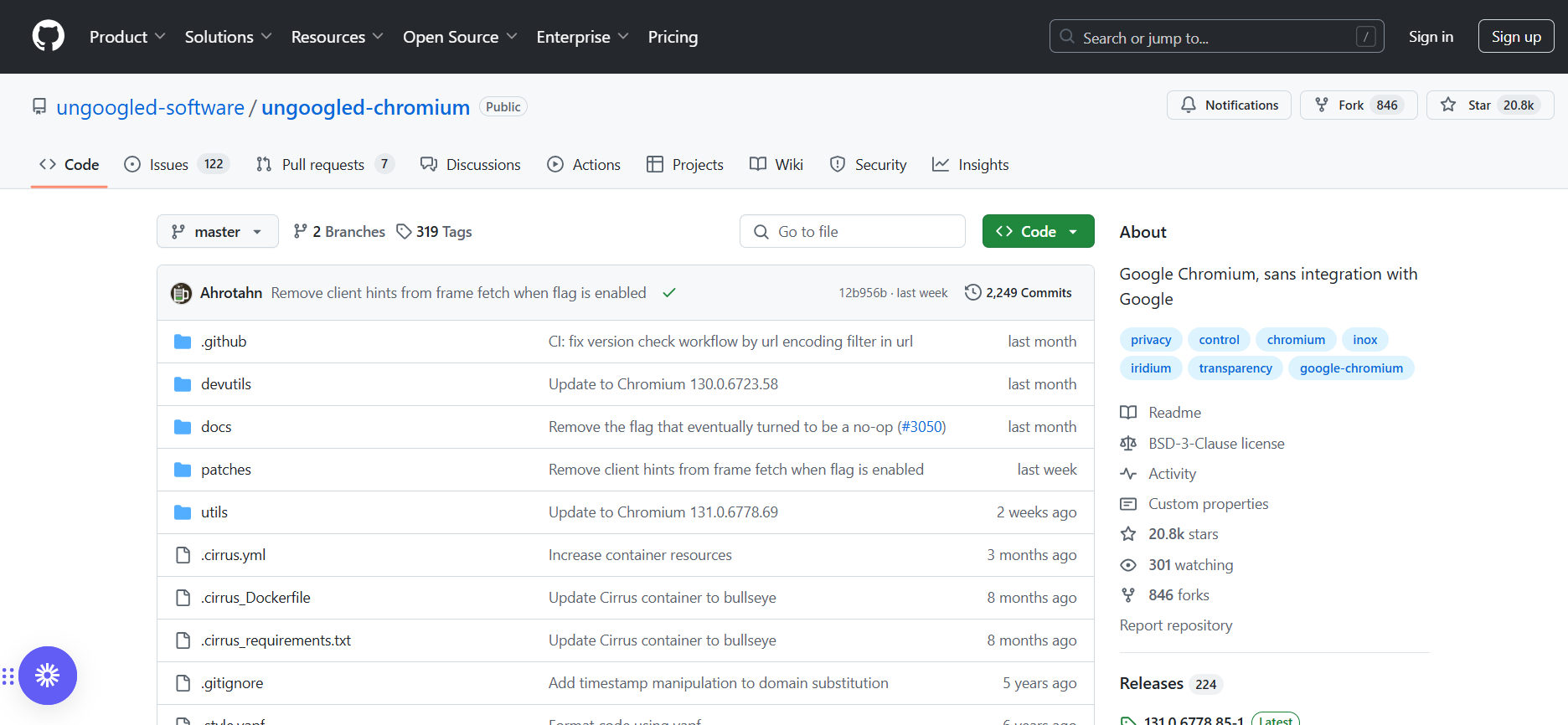
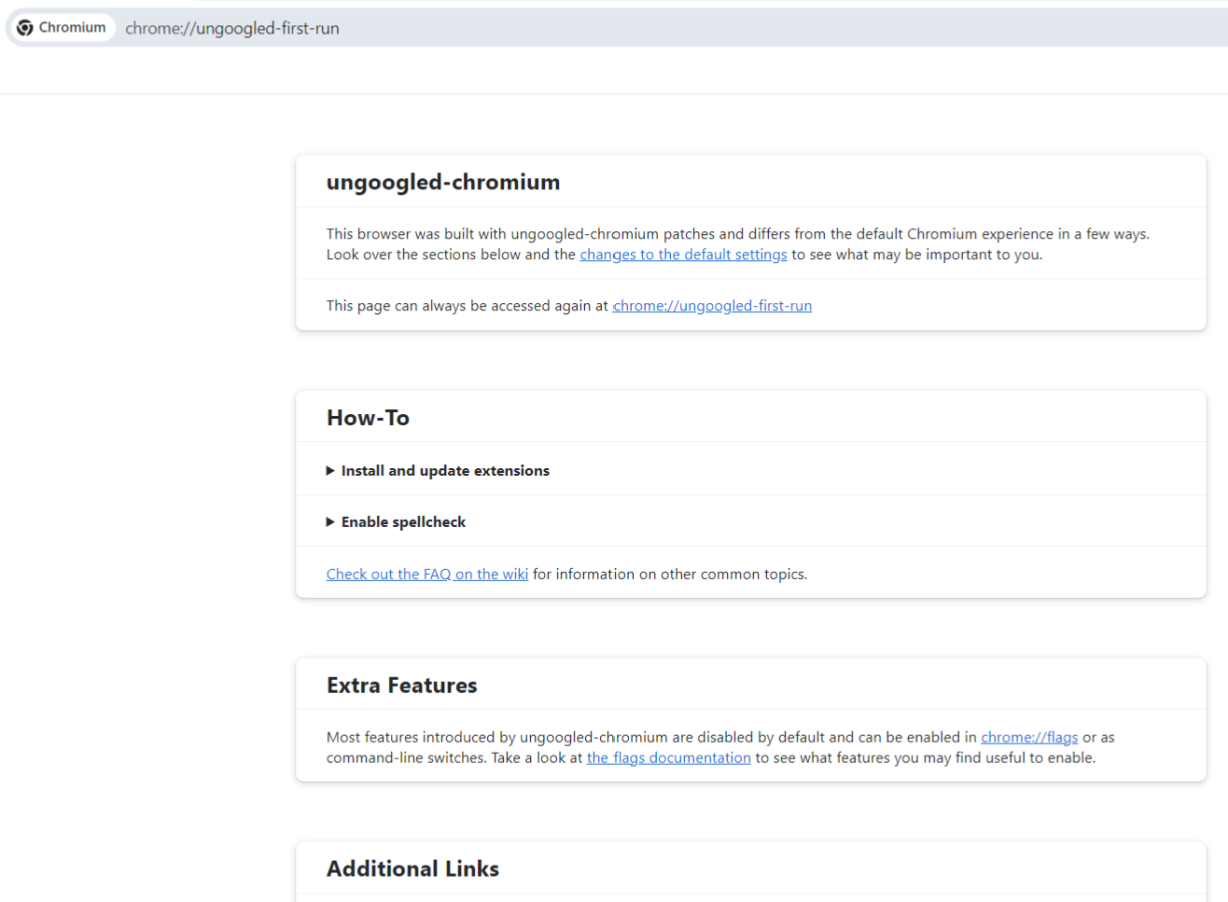
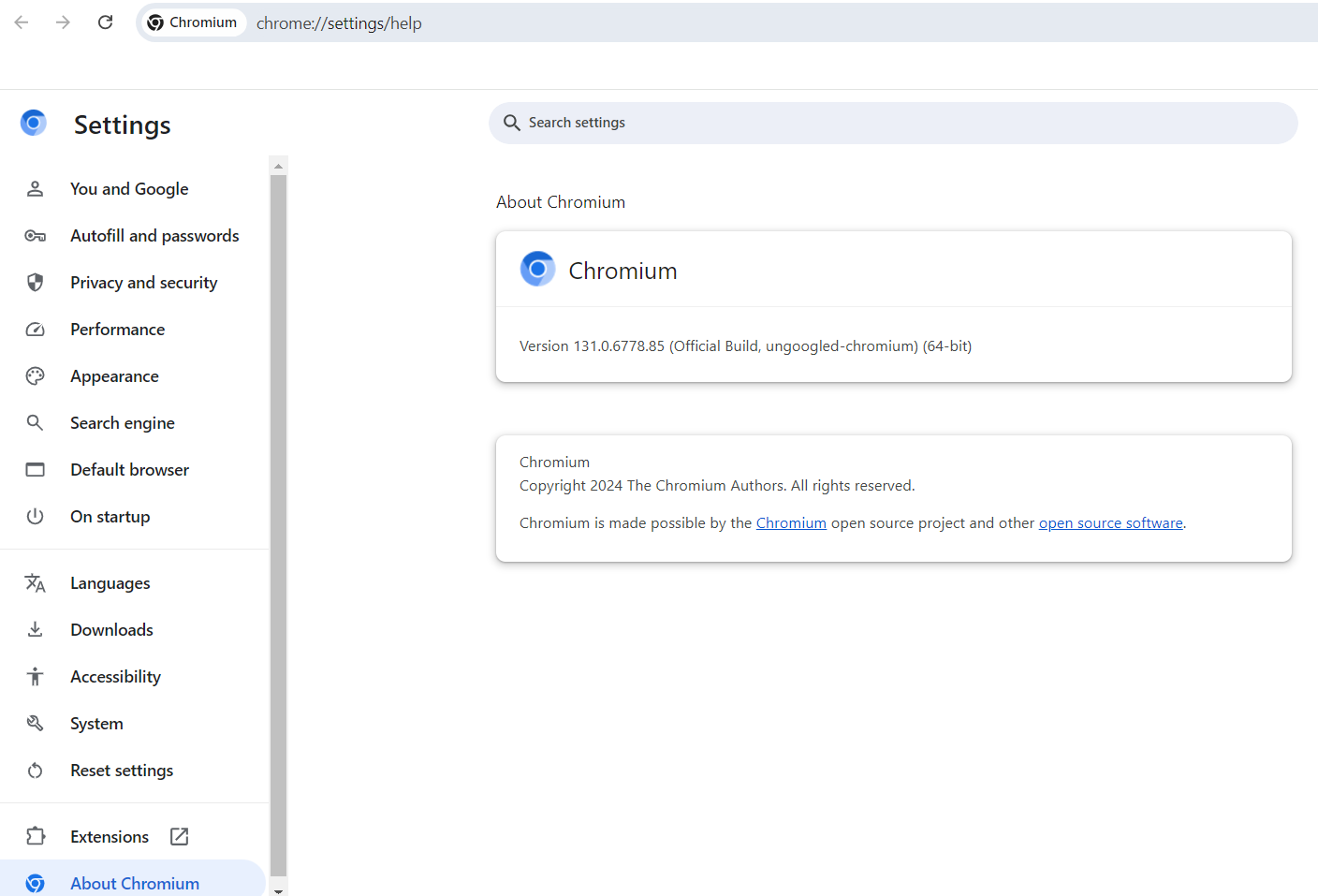
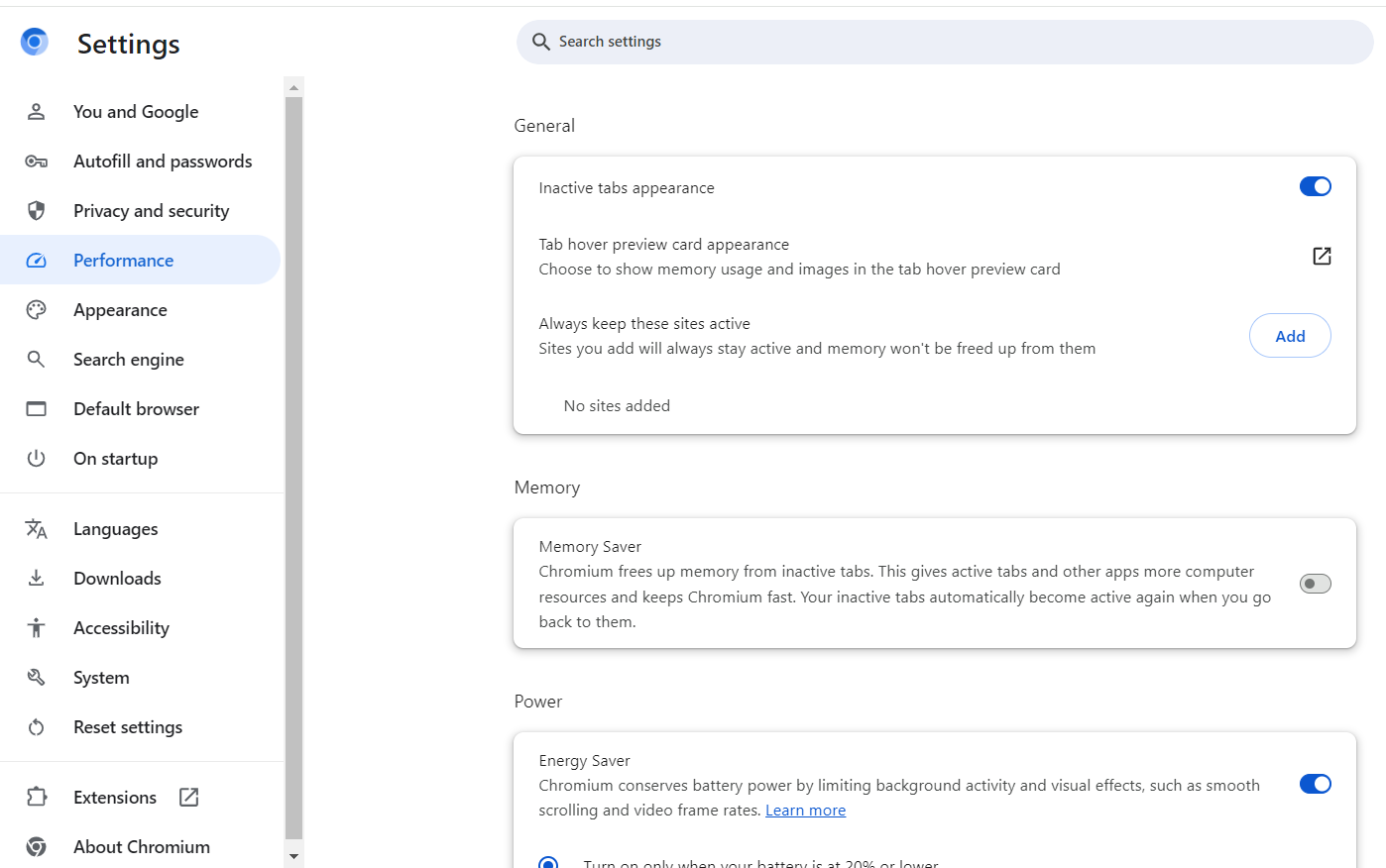
Here are some screenshots of Ungoogled Chromium on Windows.
Home page of the project:
First look:
Settings:
Performance settings:
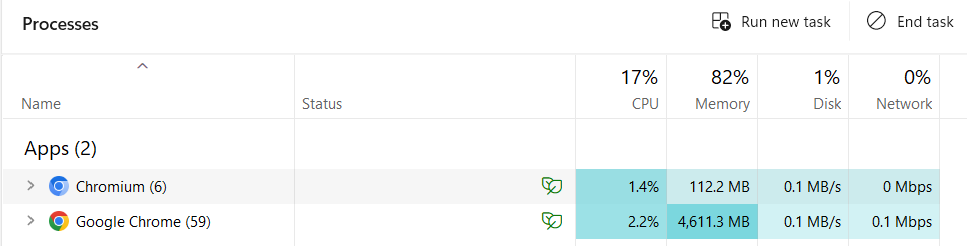
Processes of Google Chrome and Ungoogled Chromium compared:
UnGoogled Chromium Pricing and Plans
Ungoogled Chromium is completely free. It is an open-source community project under the BSD-3-Clause license, with no paid tiers, no ads and no premium upgrades. You can download it from the project's GitHub page, install it with Homebrew on a Mac (brew install --cask ungoogled-chromium) or with Flatpak and most Linux package managers.
Comparison with Google Chrome
| Feature | Ungoogled Chromium | Google Chrome |
|---|---|---|
| Privacy | Google services and telemetry removed; extra privacy settings available | Tied to Google services; collects usage data for personalization and advertising |
| Performance | Same engine, lighter without Google's background services | Fast, with more background processes for Google features |
| Syncing | No built-in sync; export and import bookmarks or use third-party tools | Full sync through a Google account |
| Ease of use | Needs some technical knowledge for extensions and updates | Ready to use out of the box |
| Extensions | Chrome extensions installed manually or via the chromium-web-store helper; no Google account needed | One-click Chrome Web Store installs and automatic updates |
| Safe Browsing | Disabled to remove the dependency on Google servers | Built in, warns about malicious sites and downloads |
| Updates | No built-in updater; via package managers, official platform releases or contributor binaries | Automatic updates from Google |
| Platforms | Windows, macOS, Linux; installation varies by platform | Windows, macOS, Linux, ChromeOS, Android, iOS |
| Ideal for | Privacy-minded users comfortable managing their own browser | Users who want convenience and deep Google integration |
Summary
Ungoogled Chromium does its main job well: it gives you Chrome's engine and compatibility without Google's services and data collection. It is free, actively maintained and follows each Chromium release closely. The price is convenience: you handle extensions and updates yourself and lose Safe Browsing and sync. If that sounds like too much work, Brave or Firefox offer strong privacy with less setup; see our list of the best browsers for privacy.
Keep in mind that any privacy browser, Ungoogled Chromium included, protects a single identity. If you need to run several separate accounts or identities, for example for clients, online stores or ad accounts, an antidetect browser is the right tool. Gologin is also built on Chromium, but gives each profile its own fingerprint and cookies so accounts stay separate. It has a free-forever plan with 3 profiles and paid plans from $9/month, and runs on Windows, macOS, Linux, Android and in the cloud.
FAQ
Is Ungoogled Chromium safe?
Yes, if you keep it updated. It follows Chromium's releases closely and is open source. The main trade-offs are that Google Safe Browsing is disabled, there is no automatic updater, and volunteer-built binaries cannot be guaranteed authentic, so install from official platform repositories or trusted package managers.
Can I install extensions from the Chrome Web Store?
Yes, but not with one click. You can install extension files manually, or add the community chromium-web-store extension, which installs and updates Chrome Web Store extensions without a Google account.
How does Ungoogled Chromium compare to Brave or Firefox?
It removes Google's services but adds little protection by default: there is no built-in ad blocker, and its fingerprinting protections are optional flags. Brave and Firefox give stronger privacy out of the box, while Ungoogled Chromium suits users who want plain Chromium without Google.
Does Ungoogled Chromium update automatically?
No. It has no built-in updater. Use a package manager such as Homebrew, Flatpak or your Linux distribution's repositories, or download each new release from the official platform repositories.
Can I sync bookmarks and settings across devices?
Not natively. Google sync is removed by design, so export and import bookmarks or use a third-party sync tool.