
Ghost Browser is a Chromium-based productivity browser that lets you stay logged into several accounts on the same site from one window, using separate Identities and Workspaces. It is a good pick for social media managers, SEO specialists, developers and QA testers who juggle many logins, and it has a free version. It is not a full antidetect browser, though: if you need every account to look like a different device, choose a dedicated tool such as Gologin.
Because it is built on Chromium, Ghost Browser works with Chrome extensions, so switching from Chrome takes a few minutes. It is still maintained: version 2.4.1.1 (April 2025) added new proxy, cookie and extension controls, and the company published a new blog post in May 2026.

Ghost Browser at a Glance
| What | Ghost Browser (checked October 2026) |
|---|---|
| Type | Multi-session productivity browser (Chromium) |
| Platforms | Windows, macOS, Linux |
| Free version | Yes: up to 3 Identities, no account required |
| Paid plans | Basic from $21/month, Pro from $46/month (billed annually, per user) |
| Per-tab proxies | Pro plan only (Ghost Proxy Control) |
| Team sync | Private Data Sync for Workspaces, Identities, cookies and proxy settings |
| Latest release announced | 2.4.1.1 (April 2025) |
Key Features of Ghost Browser
- Multi-Session Browsing
Each Identity keeps its own cookie jar, local storage, IndexedDB, service workers and notifications, so you can be logged into several accounts on the same platform side by side, without logging in and out. Identities can be permanent or temporary. - Workspaces
Workspaces group tabs, sessions and cookies by project or client, and tabs can be color-coded so you can tell tasks apart at a glance. Paid plans let you open several Workspaces at once.
Below is a screenshot of multiple workspaces in Ghost Browser along with the Identity manager, which adds different identities to each workspace.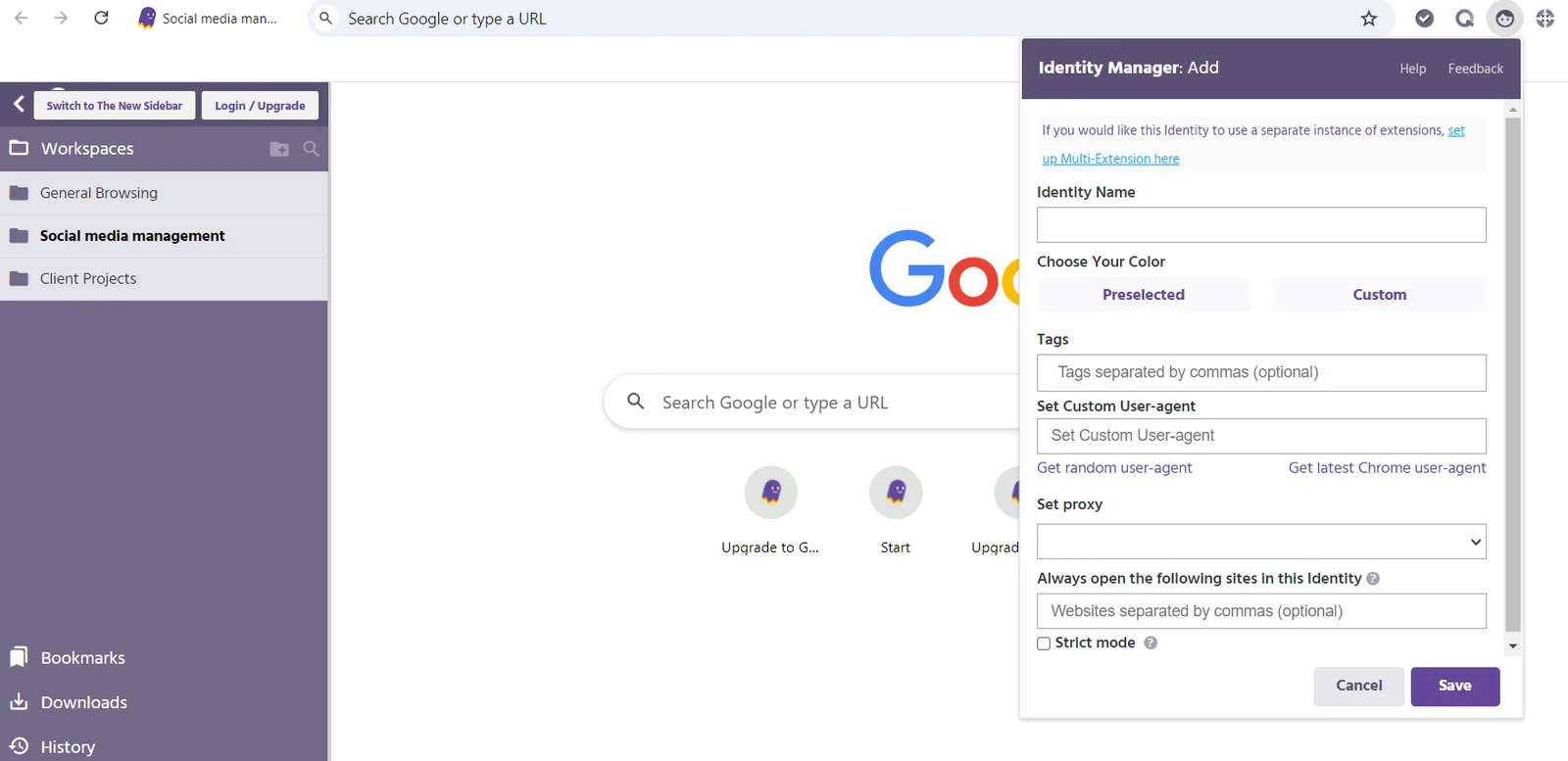
- Ghost Proxy Control
On the Pro plan you can assign a different proxy to each tab, Identity or Workspace, which is useful for viewing sites from several countries at once. Since version 2.4.1.1 it can also match the time zone to the proxy and override hardware concurrency. If you need proxies to plug in, FloppyData is an affordable option: $1/GB for rotating traffic, with one balance that works as residential, mobile or datacenter traffic. - Chrome Extension Compatibility
Chrome extensions, including Manifest V2 extensions, can be imported from Chrome in minutes. The Multi-Extension feature runs separate sessions of supported extensions, such as Apollo.io, in different Identities. - Private Data Sync and Team Sharing
Workspaces, Identities, cookies and proxy settings can be synced and shared with your team. Ghost Browser lets you choose where synced data is stored instead of keeping it on its own servers.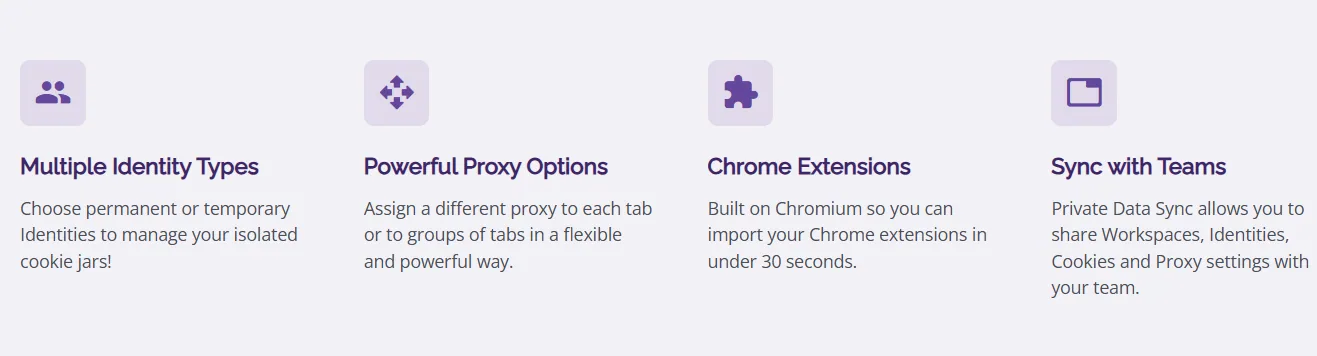
- Developer Tools
Version 2.4.1.1 extended the Chrome cookies API so scripts and extensions can read, write and delete cookies for a specific Identity, and bookmarks can now open directly in a chosen Identity.


Pros and Cons of Ghost Browser
Pros:
- Many logins in one window: Ideal for managing several accounts on the same platform.
- Organized Workspaces: Tabs, cookies and proxies stay grouped by project or client.
- Flexible proxies: Pro assigns proxies per tab, Identity or Workspace.
- Familiar and compatible: Chrome interface and extensions, including Manifest V2.
- Free version: Three Identities with no account or credit card.
- Privacy-minded sync: You decide where synced data is stored.

Cons:
- Not a full antidetect browser: Anti-fingerprinting options such as canvas noise are off by default, and Identities do not get complete, separate device fingerprints.
- Per-tab proxies cost extra: The Basic plan has no Ghost Proxy Control at all; you need Pro.
- Per-user pricing: Costs grow with every team member.
- Resource use: Many open sessions and Workspaces can slow down older machines.
Common Use Cases of Ghost Browser
- Social Media Management
Marketers can stay logged into several client accounts at once and keep each client in its own Workspace. - SEO and Regional Checks
SEO specialists can compare how sites and search results look from different locations, with a proxy per tab on Pro. - Web Development and QA Testing
Developers and testers can check different user roles side by side without separate devices. - Sales Prospecting
Sales teams can run several sessions of tools such as Apollo.io in parallel through Multi-Extension.
Ghost Browser Pricing and Plans
Ghost Browser offers a free version and two paid plans, priced per user. Prices below were checked in October 2026:

- Free Version: Up to three Identities, no account or credit card required, with proxies assignable per Workspace or Identity (not per tab).
- Basic Plan: From $21/month billed annually. Unlimited Workspaces, Identities and temporary Identities, several Workspaces open at once, incognito mode and email support. It does not include Ghost Proxy Control.
- Pro Plan: From $46/month billed annually. Everything in Basic plus Ghost Proxy Control (a proxy per tab, Identity or Workspace) and priority email support.
- Enterprise: Custom terms through sales.
Monthly billing is also available; the annual prices above are the lowest per month.
Alternative Worth Considering: Gologin
If your goal is running many accounts without them being linked, an antidetect browser fits better than a multi-session browser. Gologin, our top pick, gives every profile its own consistent fingerprint from a large database, plus its own cookies and proxy. It has a free-forever plan with 3 profiles, paid plans from $9/month for 10 profiles ($4.50/month billed annually), apps for Windows, macOS, Linux and Android, a Cloud Browser, and team members with profile sharing on every paid plan. Read our Gologin review.
Summary
Ghost Browser remains a well-made productivity browser for people who need many logins in one window: Identities, Workspaces, per-tab proxies on Pro and private team sync make day-to-day multi-account work faster. The free version is enough to see whether the workflow suits you.
Its limits are equally clear. Per-tab proxies require the Pro plan, prices are per user, and its anti-fingerprinting options are not a substitute for an antidetect browser. Choose Ghost Browser for productivity; choose Gologin when accounts must look like separate devices.
Here is a glimpse of how Ghost Browser looks:

FAQ
Is Ghost Browser free?
Yes. The free version supports up to three Identities and needs no credit card or account. Paid plans start at $21/month for Basic and $46/month for Pro, both billed annually (prices checked in October 2026).
Is Ghost Browser an antidetect browser?
Not in the usual sense. Ghost Browser is built for session separation: each Identity has its own cookies and storage. It has optional anti-fingerprinting settings such as canvas noise, but they are off by default, and it does not give each Identity a full device fingerprint the way antidetect browsers like Gologin do.
Which plan lets me use a different proxy per tab?
Only the Pro plan includes full Ghost Proxy Control, which assigns proxies per tab, Identity or Workspace. The free version can assign proxies per Workspace or Identity, and the Basic plan does not include Ghost Proxy Control.
Can I import my settings from Chrome?
Yes. You can import bookmarks, settings and extensions from Chrome, including Manifest V2 extensions.
What platforms does Ghost Browser support?
Ghost Browser runs on Windows, macOS and Linux.