GeeLark is a cloud phone platform: instead of emulating a web browser, it runs Android phones in the cloud so you can operate many app accounts (TikTok, Instagram, Facebook and others) without buying physical devices. It now also offers multi-account browser profiles for web accounts, managed from the same dashboard. It is a strong fit for social media and app-focused teams; if your accounts live mainly on websites, a classic antidetect browser is simpler and usually cheaper to run.
There is a free plan with 2 profiles, and paid plans start at $5/month for 5 profiles on Base. Cloud phone time is billed on top, at $0.007 per minute by default, so costs depend heavily on how long your phones stay on.

GeeLark at a Glance
| What | GeeLark (checked October 2026) |
|---|---|
| Product type | Android cloud phones plus multi-account browser profiles |
| Desktop app | Windows, macOS (Apple silicon and Intel), Linux (Ubuntu) |
| Free plan | Yes: 2 profiles, 1 seat, 10 launches per day |
| Paid plans | Base from $5/month (5 profiles); Pro from $19/month (20 profiles) |
| Cloud phone time | $0.007 per minute by default; $1.20 daily cap per device on paid plans |
| Automation | RPA templates, API, ADB, synchronizer (Pro), CLI and MCP tools |
| Team seats | Unlimited and free on paid plans |
Key Features of GeeLark
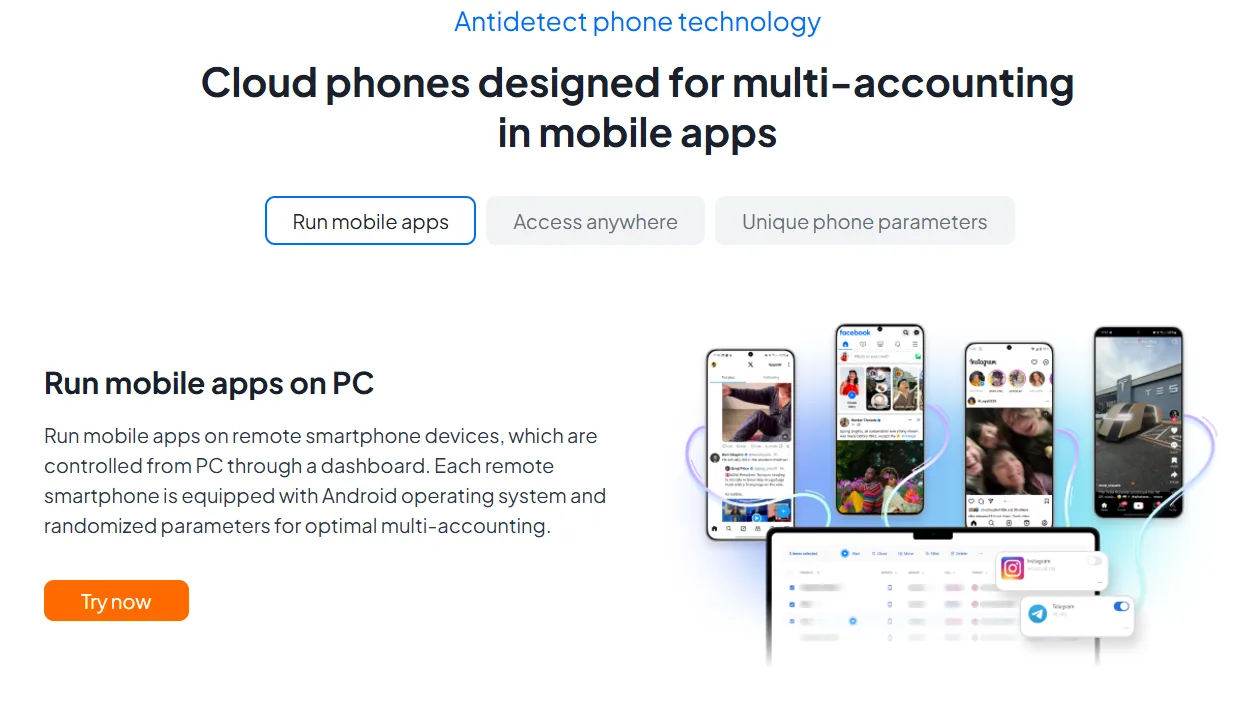
- Cloud Phones for Multi-Account Management: GeeLark runs Android devices in the cloud, each with its own device settings, so you can manage many app accounts without buying and maintaining smartphones. GeeLark describes them as real Android devices on ARM-based infrastructure rather than emulators.
- Multi-Account Browser: For web-based platforms such as stores and dashboards, GeeLark adds isolated browser profiles with persistent cookies and their own settings, managed next to the cloud phones.
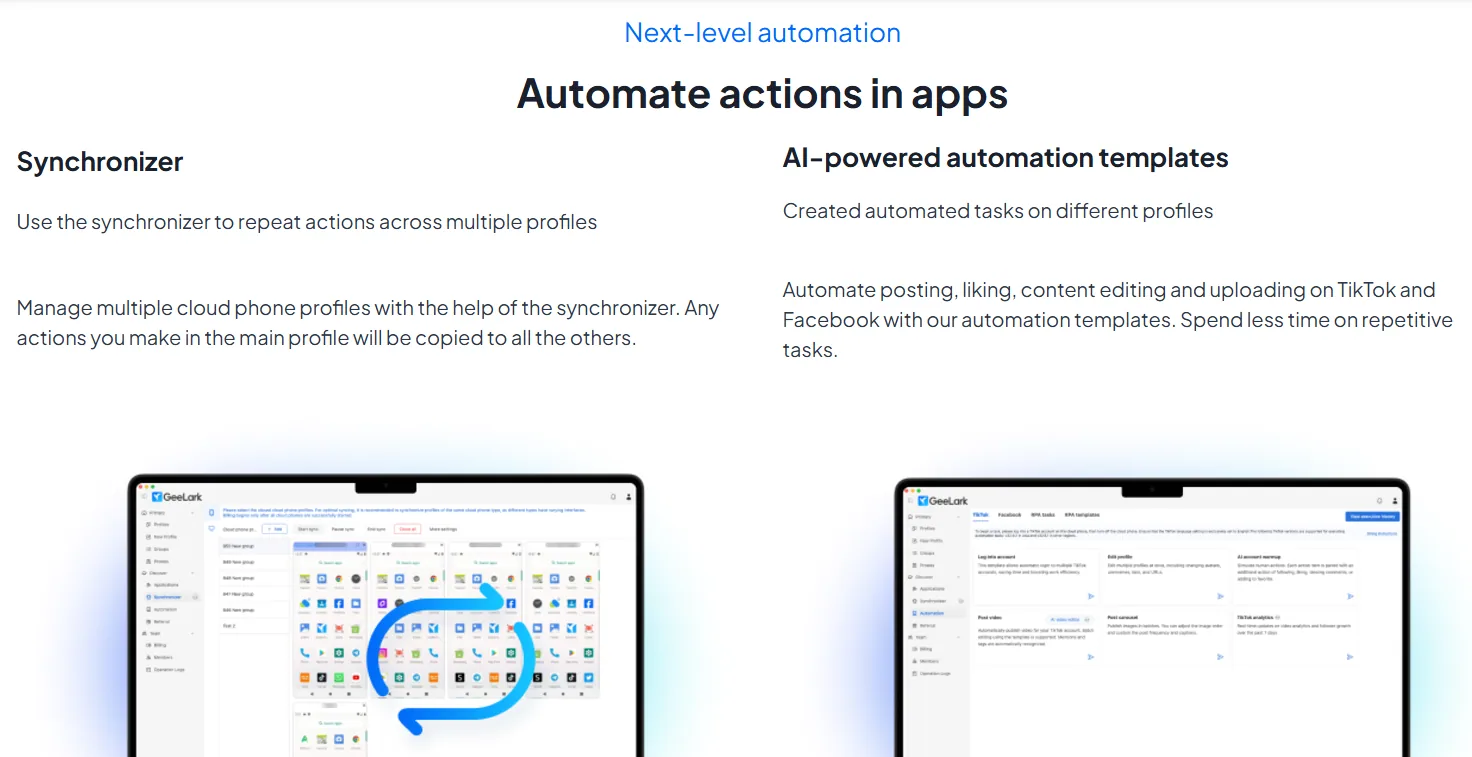
- Automated Account Management: RPA templates cover warm-up, posting, liking and commenting on TikTok, Instagram, Facebook and other platforms, and workflows can run on a schedule across selected accounts.
- Synchronizer: On the Pro plan, actions you perform on one cloud phone can be repeated across the others, which speeds up bulk work.
- GeeLark AI: Built-in AI tools generate images and videos with third-party models, edit video and help with analytics, so content can be produced and posted from one place.
- Developer Access: Paid plans include an API and ADB (Android Debug Bridge), and GeeLark publishes a command-line tool and an MCP tool for AI agents.
- Proxies and Location: Proxy management supports quick connection checks and bulk import, so each cloud phone can use its own IP and matching location. Mobile and residential proxies suit cloud phones best; FloppyData is an affordable source at $1/GB, with one balance that works as residential, mobile or datacenter traffic.
- Team Collaboration: Paid plans include unlimited free seats, roles and permissions, operation logs and profile transfer.

Pros and Cons of GeeLark
Pros:
- No physical devices: Run many app accounts from one desktop without a phone farm.
- Mobile and web in one place: Cloud phones and browser profiles share one dashboard.
- Strong automation: RPA templates, scheduling, synchronizer, API and ADB cover most bulk tasks.
- Free seats: Paid plans let you add as many team members as you need.
- Free plan: You can test the platform without a credit card.

Cons:
- Usage-based costs: Cloud phone minutes are billed on top of the plan, so heavy use adds up; monthly rentals ($29.90 per device) are the alternative for always-on phones.
- Complex pricing: Plans, bonus minutes, rentals, parallels and time add-ons take time to compare.
- Learning curve: The range of automation and AI features takes time to master.
- Limited free plan: Two profiles and 10 launches a day are only enough for a first test.
Common Use Cases of GeeLark

- Social Media Marketing: Run and automate many TikTok, Instagram, YouTube Shorts or Facebook accounts in their native apps.
- Affiliate Marketing: Promote offers from several accounts and keep each one on its own device and IP.
- Airdrop Farming: Manage separate accounts for crypto campaigns that require mobile apps.
- E-commerce and Dropshipping: Operate store and marketplace accounts from one dashboard.
- App Testing and Ad Verification: Check how apps and ads behave on different devices and in different locations.
- Mobile Gaming: Run several game accounts in parallel without extra hardware.
GeeLark Pricing and Plans
GeeLark charges for a plan sized by profile count, plus cloud phone time. Prices below are monthly and were checked in October 2026:
| Plan | Price | Profiles | Highlights |
|---|---|---|---|
| Free | $0 | 2 | 1 seat, 10 launches per day, RPA automation, proxy management |
| Base | From $5/month | 5 to 1,000 | Bonus minutes from 60/month, unlimited free seats, API, ADB, roles and permissions, profile transfer |
| Pro | From $19/month | 20 to 50,000 | Everything in Base plus bulk profile creation, profile cloning, synchronizer and analytics |
| Custom | Quote | 10,000+ | Custom features for large organizations |
As examples, Base costs $19/month for 50 profiles and $29/month for 100, while Pro costs $29/month for 50 profiles and $39/month for 100. Paying annually lowers these prices; at the end of October 2026 the annual discount was 35% as part of a promotion running until 30 November 2026.
Cloud phone charges:
- Pay-as-you-go time costs $0.007 per minute by default, with a daily cap of $1.20 per device on paid subscriptions.
- Monthly rental costs $29.90 per device for unlimited use, and parallels cost $39.90 per month.
- Time add-ons are sold in bundles from 2,000 minutes, get cheaper per minute in larger bundles, and never expire.
Alternative Worth Considering: Gologin
GeeLark is built around Android apps. If most of your accounts live on websites, an antidetect browser is the more direct tool, and Gologin is our top pick. It has a free-forever plan with 3 profiles and paid plans from $9/month for 10 profiles ($4.50/month billed annually), apps for Windows, macOS and Linux, an Android app and a Cloud Browser, and it has added Cloud Android for mobile workflows. Team members and profile sharing come with every paid plan, and its REST API and Browser MCP server cover automation and AI agents. See our Gologin review.
Summary
GeeLark is a capable platform for managing many mobile app accounts: cloud-hosted Android phones, automation templates, a synchronizer, AI content tools and free team seats make it attractive for social media teams and app marketers. The browser profiles added since our first review make it more complete for mixed mobile and web work.
The main things to watch are cost and complexity. Per-minute cloud phone charges, rentals and add-ons need planning, and the free plan is small. Start with the free plan, measure how many phone minutes your workflow actually uses, and then choose between pay-as-you-go time and monthly rentals.
Here is how the GeeLark app looks on Windows:

FAQ
Is GeeLark an antidetect browser?
Partly. GeeLark is mainly a cloud phone platform that runs Android devices in the cloud for app accounts, and it also offers multi-account browser profiles with their own cookies and settings for websites. If your accounts live mostly on websites, a dedicated antidetect browser is simpler and usually cheaper to run.
Is GeeLark an Android emulator?
GeeLark describes its cloud phones as real Android devices running on ARM-based cloud infrastructure, not emulators running on your computer. You control them from the GeeLark desktop app.
How much does GeeLark cost?
There is a free plan with 2 profiles. The Base plan starts at $5/month for 5 profiles and the Pro plan at $19/month for 20 profiles, and both scale by profile count. Cloud phone time costs $0.007 per minute by default, capped at $1.20 per device per day on paid plans. Prices checked in October 2026.
Does GeeLark have a free plan?
Yes. The free plan includes 2 profiles, 1 seat and up to 10 profile launches per day, with no credit card required. It does not include bonus cloud phone minutes, API access or the synchronizer.
Can I automate TikTok and other apps with GeeLark?
Yes. GeeLark offers RPA templates for posting, liking and commenting, scheduled workflows, AI content tools, an API and ADB access on paid plans, and a synchronizer on the Pro plan.
Which platforms does the GeeLark app run on?
The desktop app is available for Windows, macOS (Apple silicon and Intel) and Linux (Ubuntu). The cloud phones themselves run in GeeLark's cloud.