
Kameleo is an antidetect browser that has turned into a tool for undetected web scraping and browser automation, while still supporting multi-account work. It runs its own Chromium-based (Chroma) and Firefox-based (Junglefox) browsers, offers SDKs and Docker images, and now has a free plan, with paid plans from €59/month. It is a strong choice for developers and data teams; people who mainly manage accounts by hand will find cheaper, simpler options.

Kameleo at a Glance
| What | Kameleo (checked October 2026) |
|---|---|
| Platforms | Windows 10+, Windows Server 2016+, macOS 12+, Docker (Linux and Windows containers) |
| Free plan | Yes: 2 concurrent browsers, 300 minutes usage time, 100 cloud profiles |
| Paid plans | Startup €59/month, Business €299/month, Enterprise €1,499/month |
| Annual billing | About 25% off (Startup €45/month) |
| Browser engines | Chroma (Chromium) and Junglefox (Firefox) |
| Mobile | Emulated Android and iOS browsers on the desktop |
| Automation | Local API, SDKs for Python, JavaScript and C#, Selenium, Puppeteer, Playwright |
| Latest release checked | App 5.3.1 (September 2026), Chroma 156 (October 2026) |
Key Features of Kameleo
- Multi-Accounting and Profile Management: You can keep unlimited local profiles, plus 100 cloud profiles on the free plan and 5,000 on paid plans. Profiles and cookies can be imported and exported, so warmed-up accounts move between machines or teammates.
- Fingerprint Masking: Fingerprints come from a large pool of real-world browser data for Windows, macOS and Linux, and Kameleo's own browsers can present Chrome, Firefox, Edge and Safari profiles. New Chroma builds follow each stable Chrome release within five days, and you can run several kernel versions side by side. A Fingerprint Inspector panel shows which fingerprinting calls a site makes.
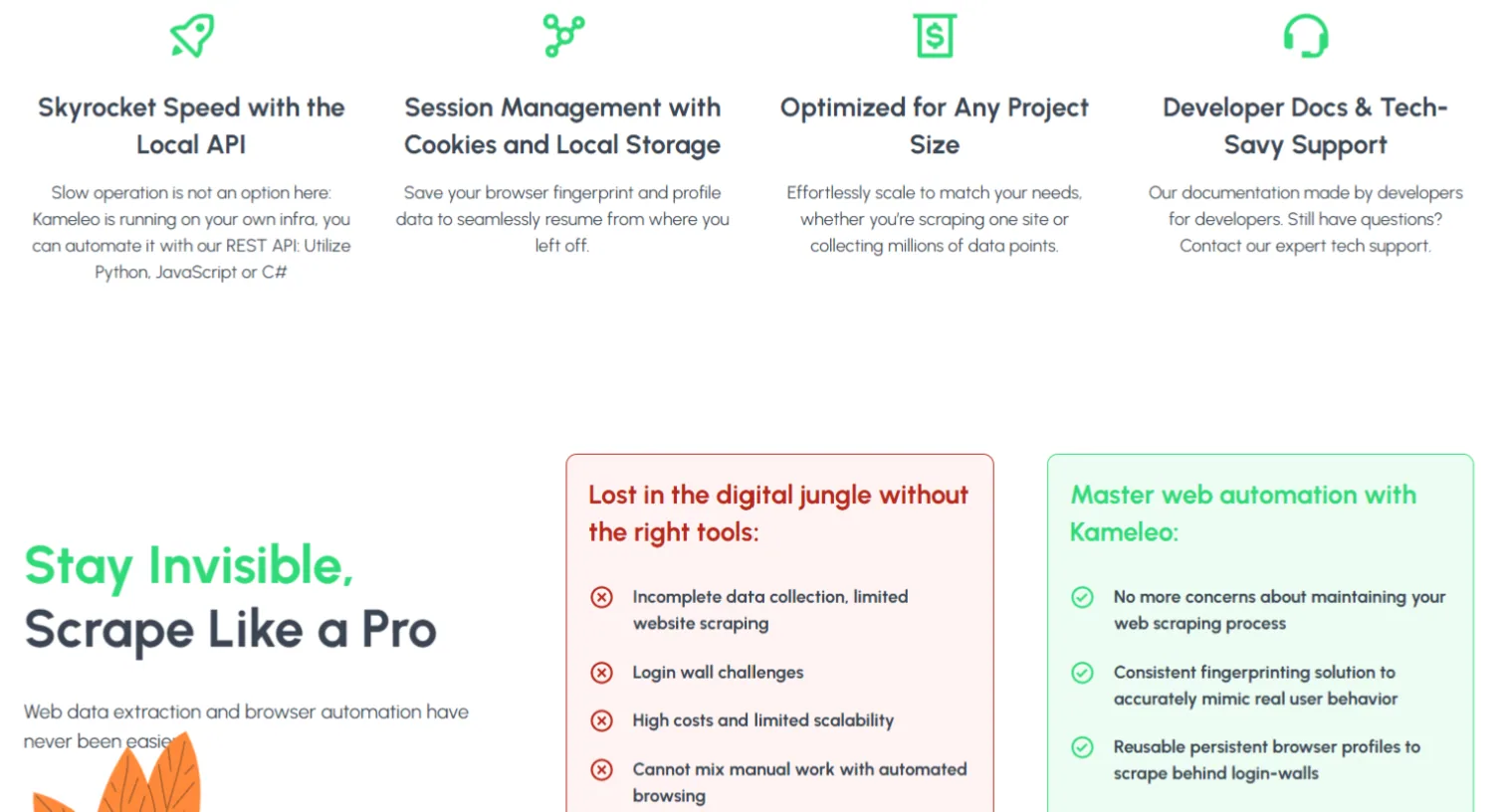
- Web Scraping and Automation: Existing Selenium, Puppeteer and Playwright scripts connect to Kameleo's WebSocket endpoint, and SDKs for Python, JavaScript and C# wrap the Local API. Headless mode uses the same masking as headed mode, and official Docker images make it possible to scale on servers.
- Mobile Browser Emulation: Android and iOS mobile browsers are emulated from the desktop, which helps with mobile-first platforms and ad checks.
- Team Collaboration: Cloud profiles can be grouped and shared, with three roles (Admin, Analyst, Member) and a session lock so only one person uses a profile at a time. Paid plans include unlimited team seats.

- Proxy Integration: HTTP, HTTPS, SOCKS5 and SSH proxies can be set per profile, whether residential, mobile, static or rotating. If you need a provider, FloppyData is an affordable source at $1/GB, with one balance that works as residential, mobile or datacenter traffic.


Pros and Cons of Kameleo
Pros:
- Built for automation: SDKs, Docker images, headless mode and support for all major automation frameworks.
- Two in-house browsers: Chroma and Junglefox, updated on a published schedule.
- Free plan: You can download it and start without creating an account.
- No device or seat limits on paid plans: You pay for concurrent browsers, not for users or machines.
- Transparency: A public masking status report shows results against common anti-bot systems.
Cons:
- High entry price: Paid plans start at €59/month, well above most multi-accounting tools.
- Small free plan: 300 minutes of usage time and 2 concurrent browsers are only enough for testing.
- No native Linux app: Linux is supported through Docker only.
- Developer focus: The product and documentation lean toward code, which can feel technical for manual multi-accounting.
Common Use Cases of Kameleo
- Web Scraping and Data Collection: Run masked browsers at scale against sites with strict anti-bot protection, from your own scripts or containers.

- Social Media Management: Keep many Facebook, Instagram and TikTok accounts in separate profiles.
- E-commerce Accounts: Sellers on Amazon, eBay and Etsy can separate seller accounts.
- Ad Verification: Check ads by region and device with matching proxies and mobile emulation.
- Affiliate Marketing: Operate several ad and network accounts without linking them.

Kameleo Pricing and Plans
Kameleo replaced its old per-user plans with plans based on concurrent browsers, the number of profiles you can run at the same time. Prices are in euros and were checked in October 2026:
| Plan | Monthly | Billed annually | Concurrent browsers | Highlights |
|---|---|---|---|---|
| Free | €0 | €0 | 2 | 300 minutes usage time, 100 cloud profiles, 2 mobile browsers, 3 team members |
| Startup | €59/month | €45/month | 10 (adjustable) | Unlimited usage time and team members, 5,000 cloud profiles, 10+ mobile browsers |
| Business | €299/month | €225/month | 100 (adjustable) | Unlimited mobile browsers, discount on extra concurrent browsers |
| Enterprise | €1,499/month | €1,125/month | 1,000 (adjustable) | 60-minute expert call, package customization |
Every plan includes unlimited local profiles and the Local API; higher plans raise the API rate limit from 60 to 1,200 requests per minute.
Alternative Worth Considering: Gologin
If you manage accounts mostly by hand, or want a lower entry price, look at Gologin, our top pick. It has a free-forever plan with 3 profiles and paid plans from $9/month for 10 profiles ($4.50/month billed annually), with team members and profile sharing on every paid plan. It runs on Windows, macOS and Linux, has an Android app and a Cloud Browser, and covers automation with a REST API, Puppeteer, Playwright and Selenium support, a Scraping Browser API and a Browser MCP server for AI agents. Read our Gologin review.
Summary
Kameleo is a powerful antidetect browser for teams that automate: two in-house browsers on a fast update schedule, SDKs, Docker and headless support make it one of the more developer-friendly options in 2026. The new free plan lowers the barrier to trying it, and macOS support settles one of the main complaints from our first review.
For manual multi-accounting it is harder to justify. Paid plans start at €59/month and are sized for running many browsers at once, so smaller users pay for capacity they may not need. If scraping and automation are your priority, Kameleo deserves a test; if not, compare it with Gologin first.

FAQ
Can I use Kameleo on macOS?
Yes. Kameleo runs on Windows 10 and later, Windows Server 2016 and later, and macOS 12 and later. There are also official Docker images for Linux and Windows containers.
Does Kameleo have a free plan?
Yes. The free plan allows 2 concurrent browsers, 300 minutes of browser usage time, 100 cloud profiles, unlimited local profiles and 3 team members. You can download it and start without creating an account.
How much does Kameleo cost?
Paid plans are priced by concurrent browsers. Startup costs €59/month for 10 concurrent browsers, Business €299/month for 100 and Enterprise €1,499/month for 1,000. Annual billing lowers these to €45, €225 and €1,125 per month. Prices checked in October 2026.
Can I run Kameleo on multiple devices?
Yes. Kameleo has no device limit; you can install it on as many computers or servers as you need. Your plan limits how many browsers run at the same time, not where they run.
Does Kameleo support mobile profiles?
Yes. Kameleo emulates Android and iOS mobile browsers from the desktop: 2 at a time on the free plan, up to 30 on Startup and without a separate limit on Business and Enterprise.